







Pin It to Win It: How Enhanced Pinning Elevates Ecommerce Merchandising
In the high-stakes world of ecommerce, visual merchandising is more than just aesthetics—it’s the difference between a smooth path to purchase and a missed conversion. For ecommerce merchandisers, precision and agility are everything—especially when it comes to product placement.
One of the most effective tactics to spotlight new product lines, highlight seasonal bestsellers, clear excess inventory, boost conversions, and streamline the shopper journey is pinning products where they create the most value for the shopper and the business. It’s a powerful tactic, but traditional pinning workflows are often manual, time-consuming, and disconnected from signals like stock and promotions.
That’s why we’re excited to introduce new enhancements to Athos Commerce’s visual merchandising pinning capabilities—making it easier and faster for merchandisers to maximize the impact of every campaign.
This article explores how our dynamic product pinning works, why it matters, and what our latest enhancements mean for brands that want to deliver more relevant shopping experiences that convert today’s browsers into loyal customers.
What Is Product Pinning in Ecommerce Merchandising?
In ecommerce merchandising, pinning refers to the strategic placement of products at specific positions or slots within a search, category or landing page—often at the top of a page or specific placements on the page. By controlling product positioning, merchandisers can influence the shopper journey, increase the visibility of key products, and ultimately drive higher conversions.

Pinning can make a huge impact, including:
- Increasing visibility by promoting new arrivals, bestsellers, or high-margin items where customers are most likely to see them.
- Driving sales by positioning high-converting products in top spots to boost the chances of a purchase.
- Enhancing the shopper journey by surfacing the most relevant products quickly, reducing friction and bounce rates.
The Challenge with Traditional Pinning
For ecommerce teams, especially those juggling multiple product categories and campaigns, traditional pinning methods are limiting. Most platforms offer basic pinning functionality, but it usually stops at manual placement. This can be time-consuming and lacks the precision, automation, and scalability that merchandisers need.
Since promotions change, inventory shifts, and customer demand evolves daily, visual merchandising in ecommerce requires agility. Manually repositioning products isn’t always feasible—especially during peak traffic periods like Black Friday, Cyber Week, or product drops. Retailers have been asking for a more powerful, intuitive way to dynamically manage their ecommerce merchandising campaigns and Athos Commerce has answered that call.
Enhanced Product Pinning: What’s New
With our latest updates, merchandisers gain more control, automation, and speed. Here’s a breakdown:
Four New Pinning Menu Options
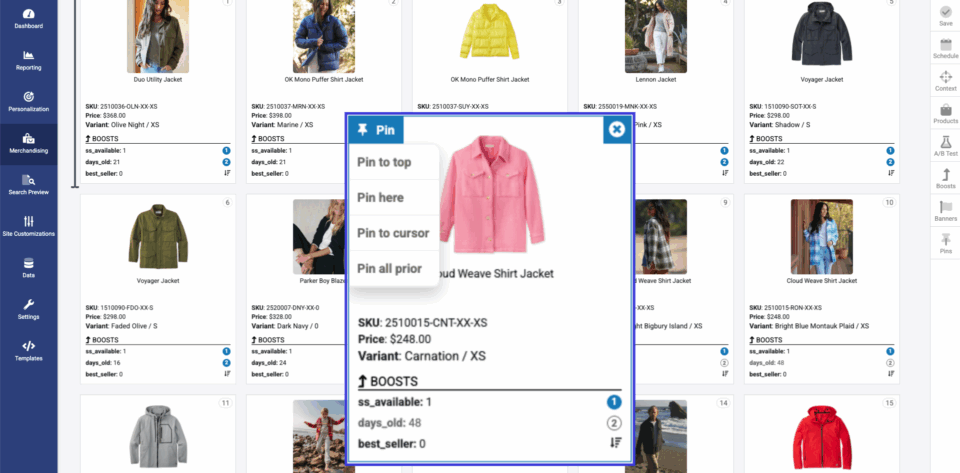
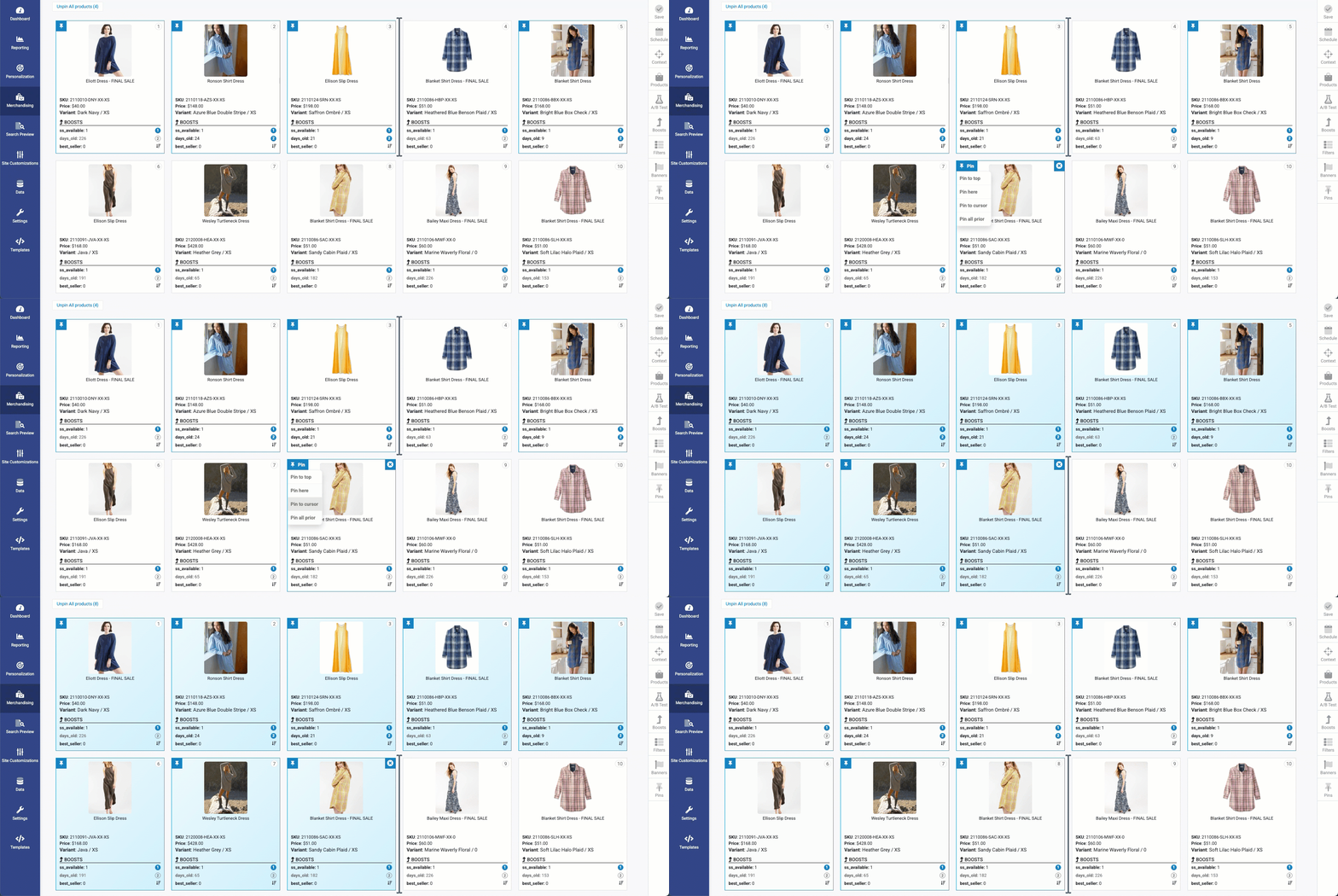
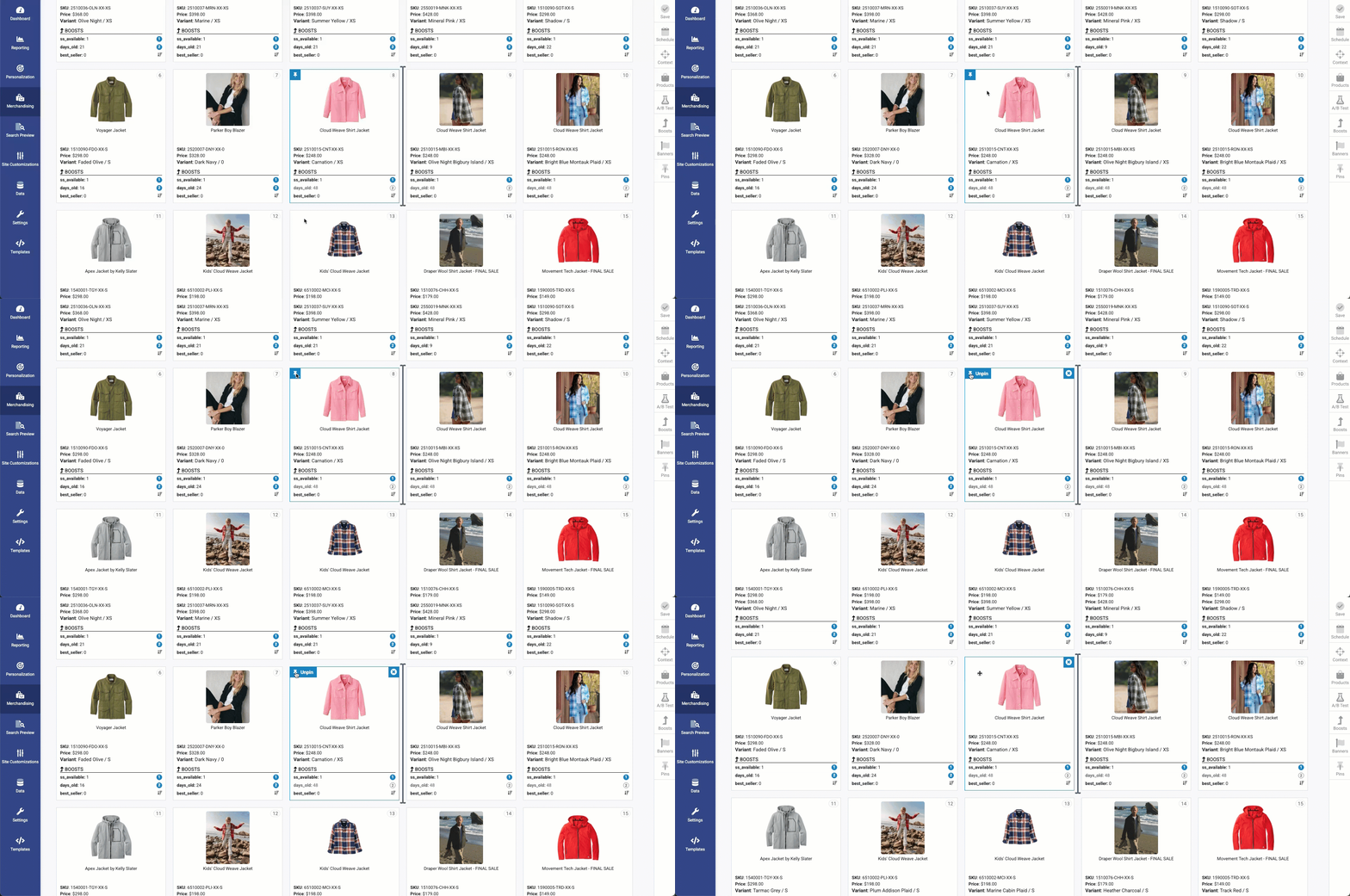
When you hover over a product in the visual merchandising grid, you’ll now see four clear options:
1. Pin to Top: Position a product at the very top of a category or search results page for maximum visibility.
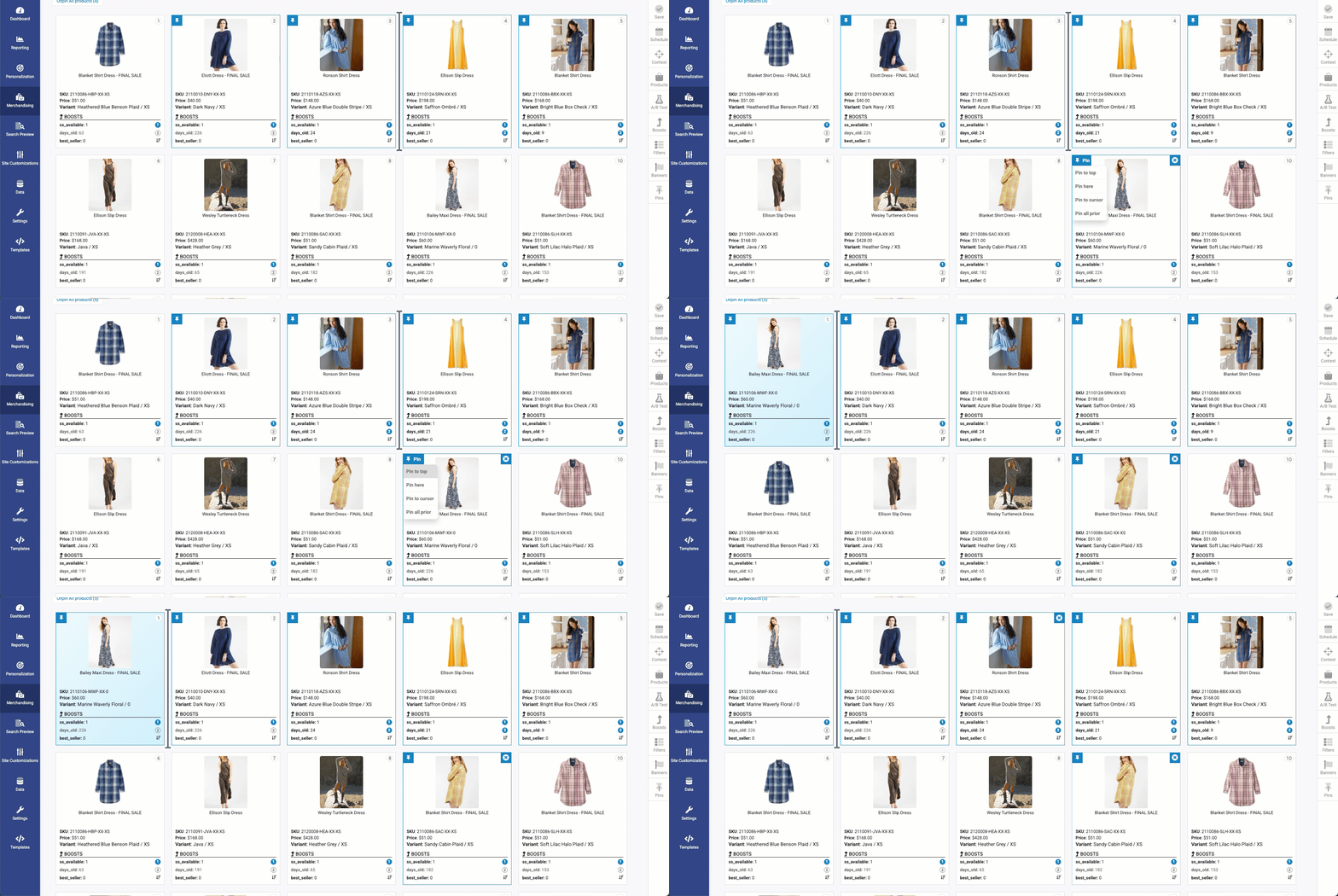
2. Pin Here: Place a product in “here” to curate the layout of your product grid.
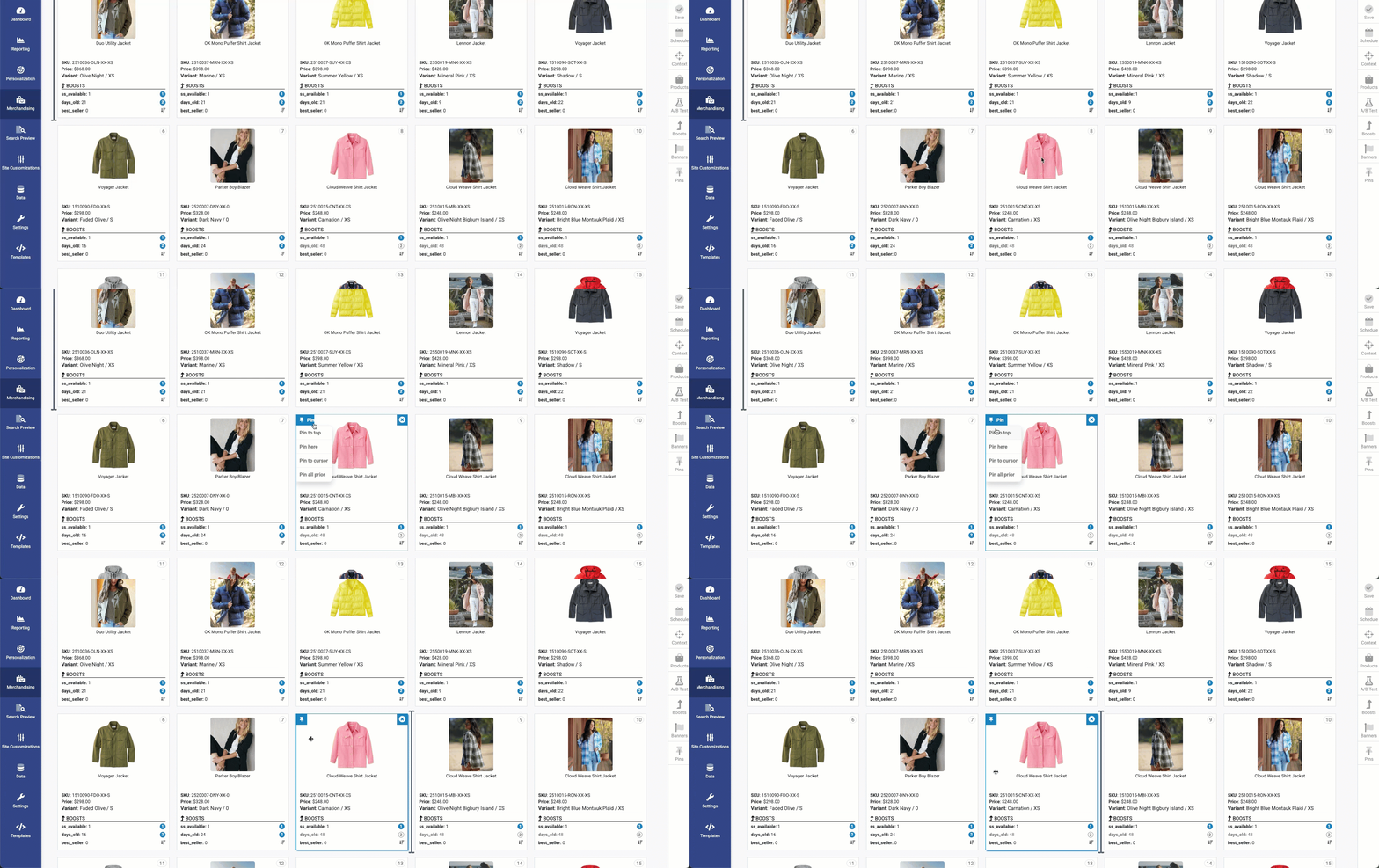
3. Pin to Cursor: Quickly pin a product exactly where your cursor is placed, speeding up manual adjustments with precision.
4. Pin all Prior: Automatically pin all items above a selected product, streamlining bulk adjustments.
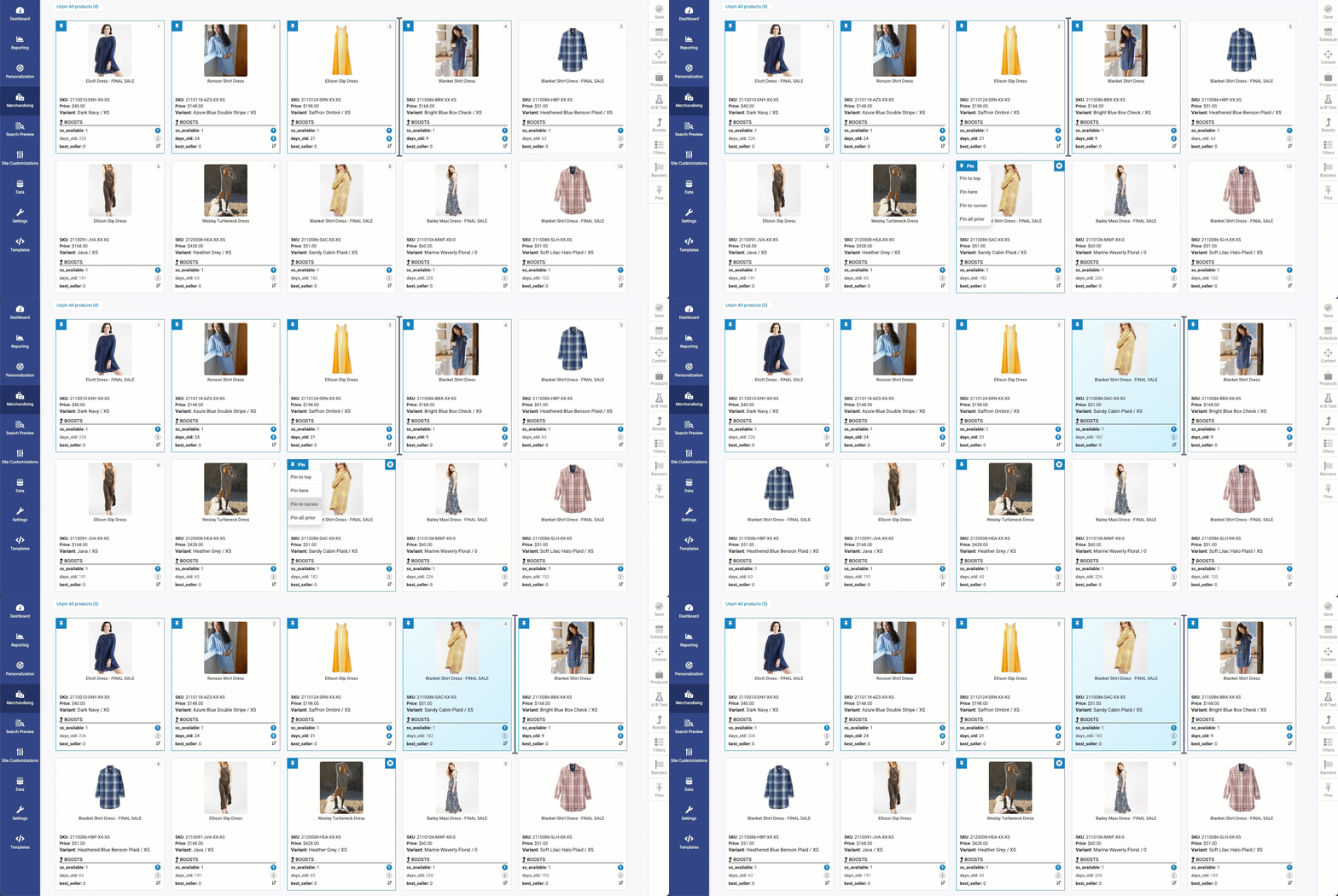
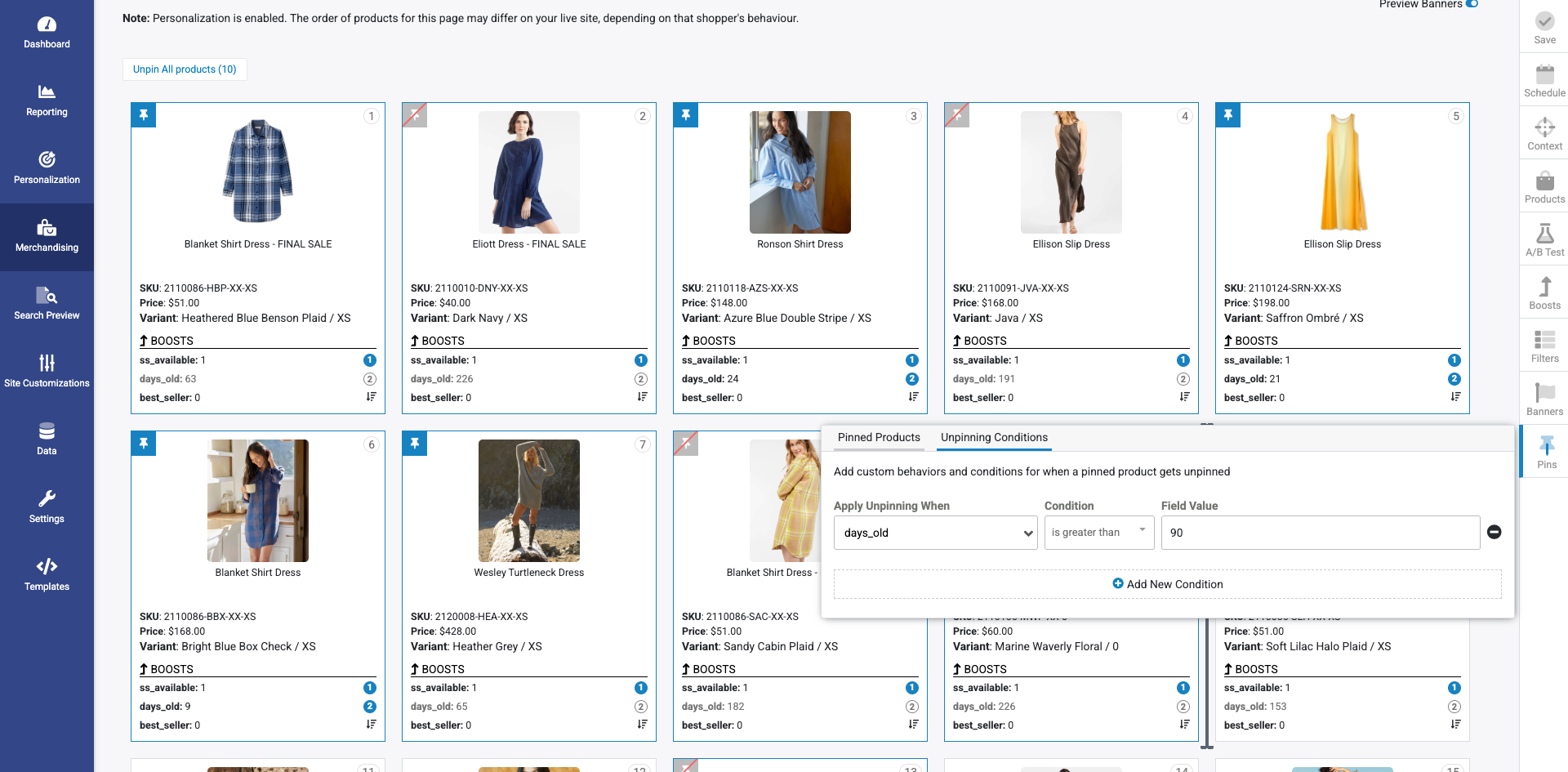
Now updated! Unpinning Behavior and Rules: Easily remove a pinned product from a designated location to restore automated product ordering or to make room for new promotions.
Smarter Unpinning Rules
Automated unpinning keeps campaigns fresh by removing outdated products dynamically. This ensures campaigns stay accurate without constant manual input.
These expanded pinning capabilities with new menu options and automation features are designed to save time and improve results—whether you want to promote a product for a single day or showcase it all season long.
Flexible Unpinning Behaviors
When a pinned product is unpinned, merchandisers can decide whether to:
- Shift surrounding items to fill the space, or
- Auto-Fill with the next best product based on relevancy.
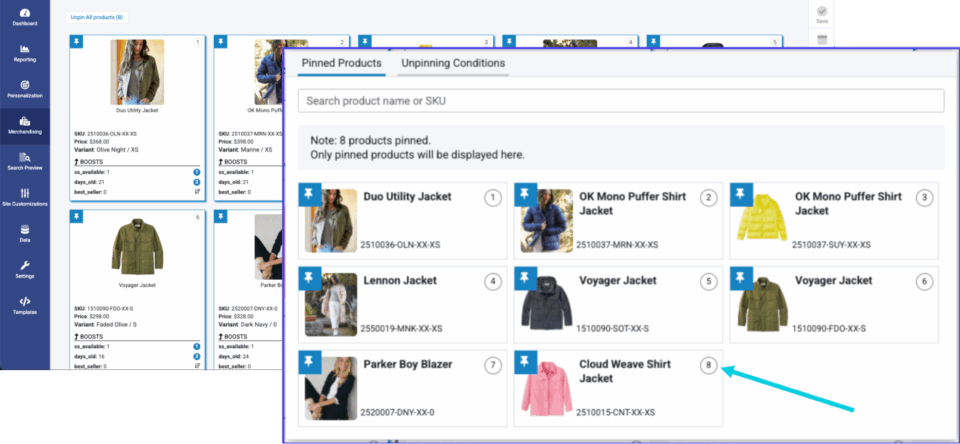
Pinned Products Tab
A new Pinned Products Tab gives clear visibility into all pinned items, even across multiple pages. This provides better tracking and easier management of merchandising strategies.
Example Use Cases
- Launching a new product line? Use “Pin to Top” to ensure it is front and center.
- Running a short-term promotion? Apply unpinning rules so items automatically rotate out when the sale ends.
- Curating seasonal assortments? Place products at exact positions within the grid for consistent storytelling.
Managing bulk adjustments? Use Pin All Prior for fast, efficient control over multiple items.
Why Enhanced Pinning Matters
Pinning may seem like a small feature, but its impact is significant—especially when enhanced with automation and flexibility. Enhanced Pinning helps merchandisers:
- Increase conversions by prioritizing products that matter most to their business.
- Save time with automated unpinning and flexible placement rules.
- Stay agile by aligning product visibility with real-time inventory, campaigns, and shopper demand.
- Deliver better shopping experiences that keep customers engaged and converting.
Visual Merchandising Optimized for Your Shoppers
With Enhanced Pinning, Athos Commerce is giving merchandisers dynamic, campaign-ready tools that keep pace with fast-changing promotions and shopper expectations. By combining control, automation, and ease of use, this update helps ecommerce teams spotlight the right products—with far less manual work.
Want to see our enhanced product pinning features in action? Schedule a free demo today.